
I generated 48 frames of my own face in ChatGPT; 11 went to production — 46 kilobytes in total.
The front page of kishkin.dev carries a photograph of me in a drafting frame. Until recently it was just a photograph. Now the avatar follows the cursor, blinks — and smiles when you reach for a button. One phone photo weighs a hundred times more than the whole effect.
Along the way I built and threw away seven directions: a 3D mesh, a depth map, optical flow. And I ran into a limit with no way around it: the generator obeys "look to the side", but it does not obey "how far". Below is the measured number under each of those decisions.
In short. The portrait on the front page follows the cursor, blinks and smiles, and costs the page 7,398 bytes in two requests on load; the remaining 38,930 arrives only once the mouse has moved. Along the way I built and threw away seven directions: a 3D mesh, a depth map, optical flow, moving light, a smooth transition between gazes. The thing I paid two days for: the generator obeys "look to the side", but it does not obey "how far" — on a word-for-word identical prompt the gaze amplitude scattered from 94 to 130% inside a single batch.
PLATE · SELF-PORTRAIT
REF DK-01

This is not a screenshot. It is the same block that sits on the front page — hover over it.
What it cost: 33 prompts, 48 frames, 46 KB
The effect cost 33 written prompts and 48 generated frames, of which 11 went to production. All of it was generated in ChatGPT images 2.0 — that matters, because everything below about gaze amplitude applies to that engine and that version. Together they weigh 46,328 bytes. Every frame is my own face, generated from a single real photograph: the same person, the same angle, with only the eyes or only the mouth changed.
| Metric | Value |
|---|---|
| Prompts written | 33 |
| Frames generated (ChatGPT images 2.0) | 48 |
| Went to production | 11 |
| Total weight | 46,328 bytes |
Out of 48 attempts, eight gaze directions, two eyelid positions and one smile survived.
The other 37 are the work. Not drafts — hypotheses tested and closed.
The wrong road: a week and a half melting a photo into a mascot
Eleven prototypes in a row broke on one number I had measured at the very start. Until then the plate had two states, a photograph and a drawn mascot, and the portrait was meant to "melt" into the illustration.
The mascot’s head is 7% wider than mine in the photo, and its shoulders 10% narrower. No transform matches both at once.
What followed was a list of inventions to hide that mismatch: flipping the tile, blur, callout labels, swapping the background, a stack of sheets, a magnifier window, WebGL, a card flip.
The pattern is the same everywhere:
The effort was going into hiding a mismatch. And hiding always reads cheap.
The turn was simple and free. Don’t make a second picture. Take one photograph and make it react. No hiding to do — because there is no longer a mismatch.
I had made the same kind of turn with an external drive: I dropped the NTFS driver on macOS instead of looking for a more reliable one.
Seven approaches I built and threw away: 3D mesh, depth, optical flow
Each of the seven was a working prototype, not an idea on a napkin. A 3D mesh of 16 thousand points worked and turned out to be overkill. The depth map gave 5.29 pixels of movement on a head that is 102 on screen. Optical flow found 0.2 pixels where the eye had travelled 10. In place of all of it, what remained is parallax in plain CSS.
A tripod photo shoot. Technically the most correct route: 20 minutes, a tripod, a series of frames — eyes left / right / up / down. I even wrote out the shot order for myself; it is still in the repository. Dropped, because I will not shoot myself well, and that is a fair reason.
A 3D model of the face. Three.js, a real mesh of 16 thousand points. The prototype worked. Dropped as overkill.
A depth map. The most expensive thing I threw away: I built it in full, with a separate test bench, to see the effect in motion. I counted it honestly: 5.29 pixels of "nose against ear" movement on a head that is 102 pixels on screen. Those five pixels would have cost WebGL, a fallback path, and a recalibration every time the photograph changes.
Moving light. It looked like a torch being shone at the face. Dropped by eye in ten seconds.
A smooth transition between gazes. It seems obvious, and it cannot work in principle. Between "looking straight ahead" and "looking to the side" there is no intermediate frame. Blend two frames halfway and the dark iris of one lands on the white sclera of the other, and the eye goes grey, as if with a cataract.
Optical flow. A second attempt at an intermediate frame, mathematically. The algorithm found 0.2 pixels of movement where the eye had travelled 10: a dark iris sliding across a smooth sclera is simply invisible to it.
An intermediate amplitude from the generator. That one gets its own section, below.
In place of depth, plain CSS remained: the wall behind moves 25 pixels, the portrait 5. Twenty pixels of parallax for zero new files.
Can you give ChatGPT an exact gaze angle?
No. The generator obeys "look to the side", but it does not obey "how far". I asked for half of maximum in five different wordings: "about 18 degrees" gave a look pinned all the way over, "a quarter of the iris width" gave 81%, coordinates in centimetres and pixels gave 117% and 124%. The wording that landed on 74% gave 111% on the repeat, with a spread from 94 to 130% — inside a single batch, on word-for-word identical text.
| How I asked | What came back |
|---|---|
| "about 18 degrees" | all the way over |
| "a quarter of the iris width" | 81% of maximum |
| a point 15 cm from the lens + an offset in pixels | 117% |
| the same, from a wider crop | 124% — and it started redrawing hair and jaw |
| "he is looking at your other eye" | 74% — a hit! |
The last one looked like a recipe. I wrote it out for all eight directions and ran it as a batch, and got 111%, with a spread from 94 to 130%, inside a single batch, on word-for-word identical wording.
So the 74% was a lucky draw inside the model’s own spread, not an answer to my words.
The conclusion I paid two days for: the generator gives you direction, but not dosage. The question is closed; there is no way around it.
How it works: a 201 × 114 eye sprite over a single photo
Keeping eleven full versions of the photograph would have cost 360 kilobytes and 25 megabytes of browser memory, for an effect in an avatar. Instead, every frame is cropped down to the eyes alone: a rectangle of 201 × 114 pixels that lies over the main photo like a sticker. Face, hair, shirt and wall load once. The mouth is a second, independent sticker at 6.8 KB.
-
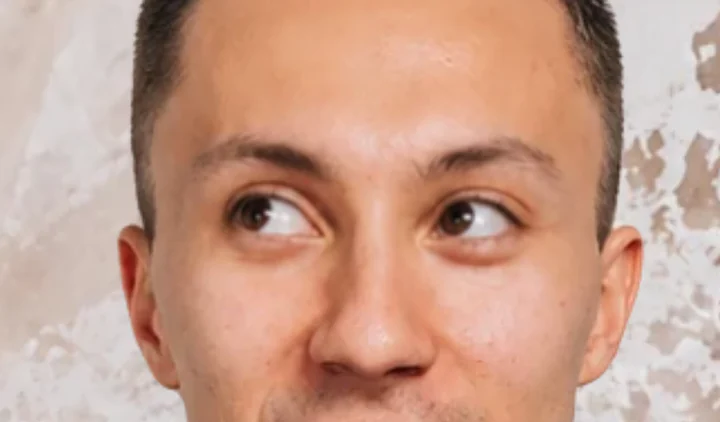
Up-left 216°
-
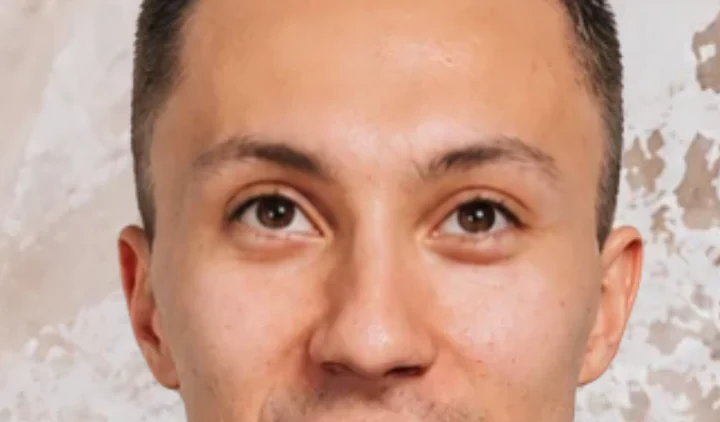
Up 274°
-
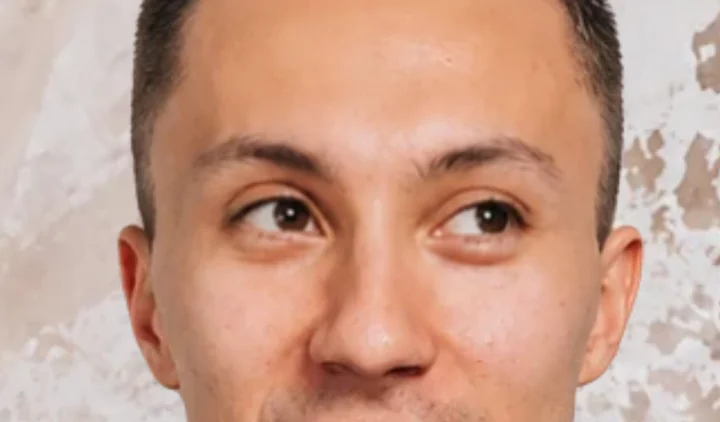
Up-right 332°
-
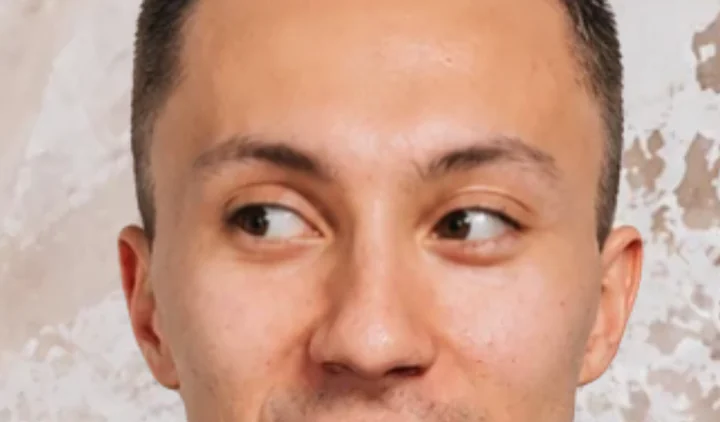
Left 179°
-
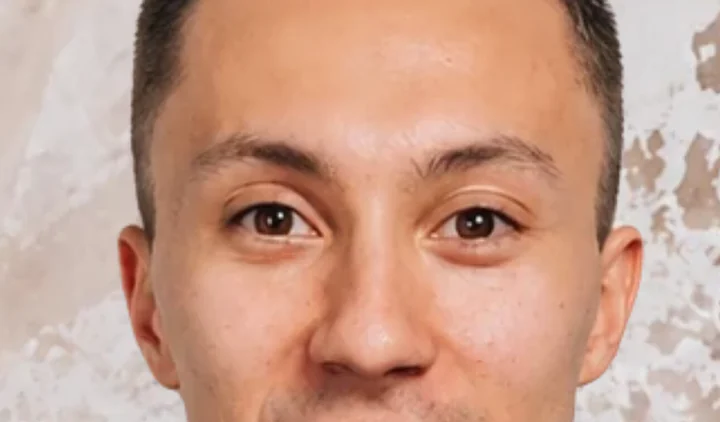
Rest —
-
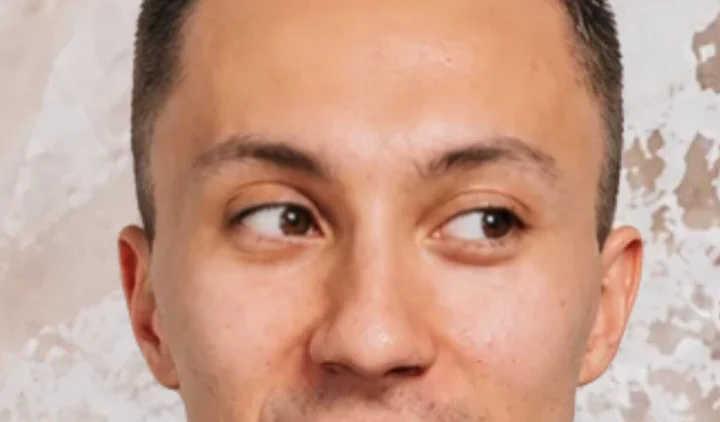
Right 354°
-
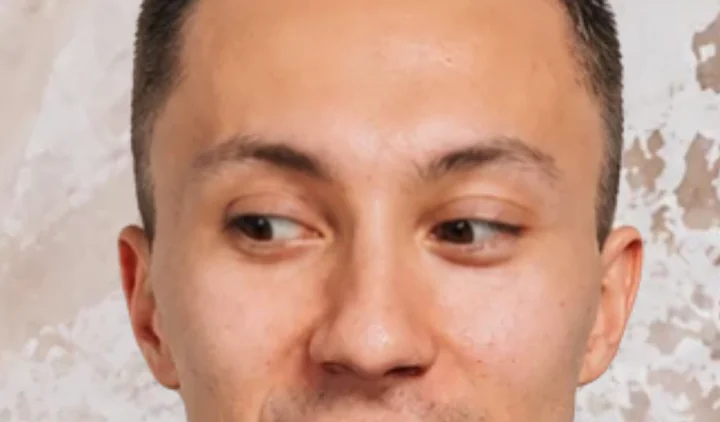
Down-left 139°
-
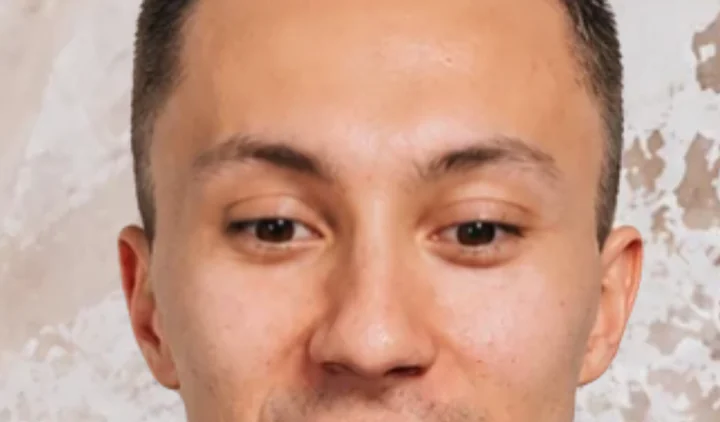
Down 90°
-
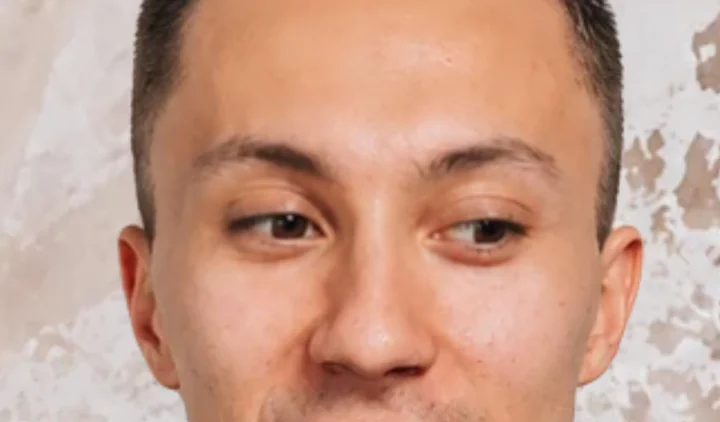
Down-right 47°
The angle under each frame is not the one the prompt asked for, but the one measured from the iris offset on the finished asset. That is why the compass looks for the nearest of these nine real states instead of dividing the circle into equal sectors.
This is not an even eight-spoke compass, though that is exactly what I asked for. The diagonals collapse towards the horizontal: for "up and to the left" the generator mostly gives "to the left". I measured all 45 generated frames and labelled them a second time, independently of the first — both passes agreed. Picking the best of those 45 instead of the first to hand cut the mean error from 7.2° to 4.3°. One direction, up-right, stayed at an error of 15°: the set simply has no frame that serves it.
-
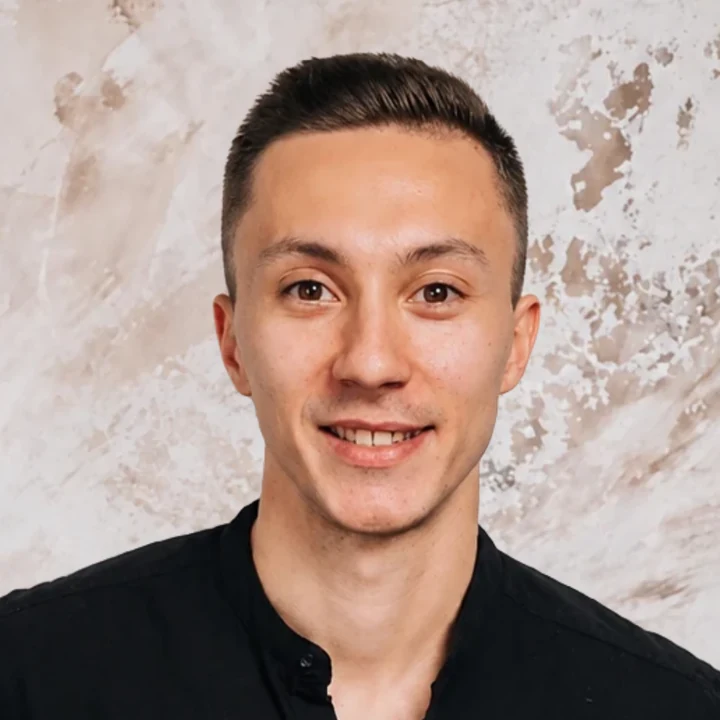
Rest —
The base plate. No patch on top.
-
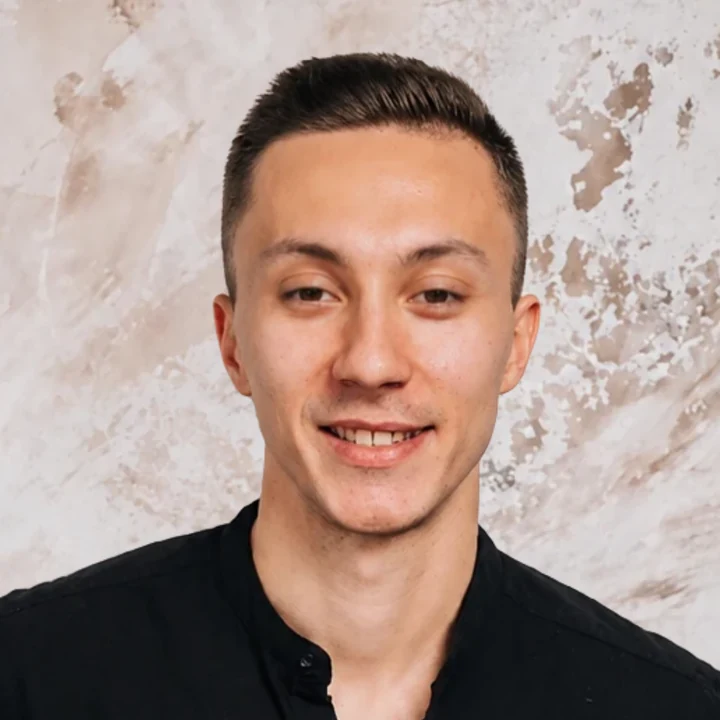
Half-closed 86 / 88%
Eyelid aperture. Only at rest.
-
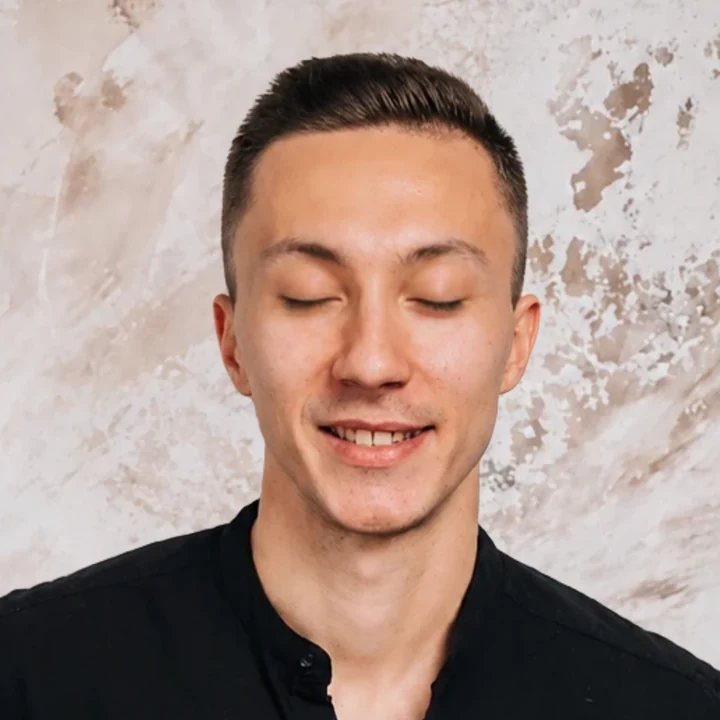
Closed 66 / 62%
Eyelid aperture. No winking.
-
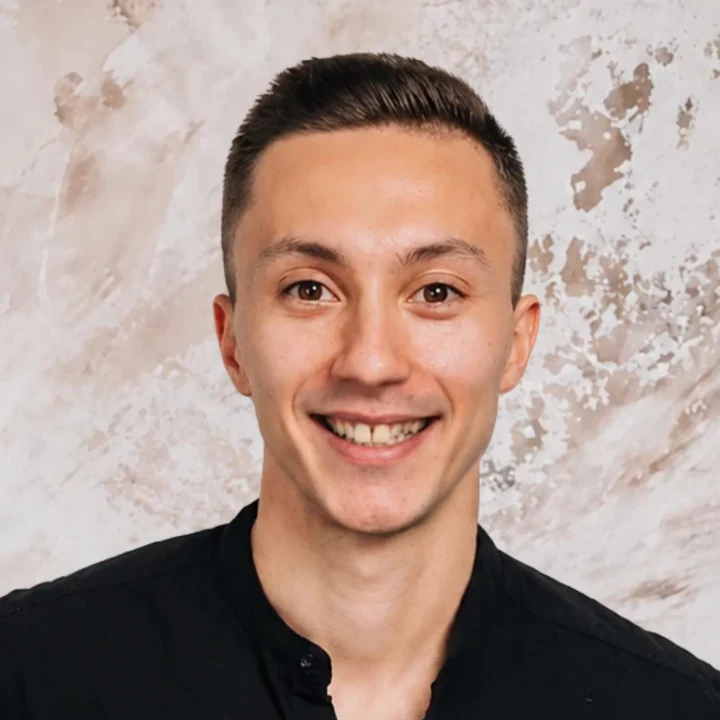
Smile 6.8 KB
A second patch with its own mask.
Eyes and mouth are two independent layers over two independent regions, so the portrait smiles without stopping following the cursor.
That is the point of splitting it into two layers: tracking on its own is attention, while tracking plus a smile is a greeting.
Three cases where the metric said yes and the eye said no
The automated check picked a frame that looked wrong on screen three times. It confused a dropping eyelid with pupil movement, so a frame with a squinting eye scored a perfect angle. A scrollbar 15 pixels wide broke the gaze on the right side only. And the seam across the whole face was found by reviewers, not by me.
The man who was squinting. The automated check picked a "gaze right" frame on a perfect angle — 1 degree off ideal. On screen it was a man squinting and barely looking to the side. It turned out the check had taken a dropping eyelid for pupil movement and credited the frame with travel it did not have. I rejected that frame by eye three times before it occurred to me that it had to be measured by a different method.
The gaze that broke on the right only. The symptom was specific: the gaze returned to centre every time I moved the cursor to the right. The cause was the scrollbar. The page is 15 pixels narrower than the window, the cursor crosses that strip, the browser decides the mouse has left the page, and the eyes go back to centre. There is no such strip on the left, top or bottom — the defect could only appear on the right.
The seam I could not see, and someone else’s teeth. I assembled the smile and checked it at three times magnification. Clean. Then I gave it to four reviewers blind, without saying which was which. Three found the same thing: a hard seam across the whole face at the level of the nostrils — it ran along the natural shadow under the nose, which is why I had missed it. They also found what nobody had seen for two days: the previous version of the smile had someone else’s teeth — even, whiter, without my real gap.
The metric said yes, the eye said no. The eye is right.
What it weighs on load: 7.4 KB instead of 46
On load the page takes 7,398 bytes in two requests instead of 46,328 in eleven. The rest — 38,930 bytes in nine requests — arrives only once the mouse has moved. The portrait blinks whether or not the cursor has arrived, but the eight gaze frames are dead until the mouse moves, and the smile until someone reaches for a link.
| On load | Later, on demand | |
|---|---|---|
| Before | 46,328 bytes, 11 requests | — |
| After | 7,398 bytes, 2 requests | 38,930 bytes, 9 requests |
A visitor on a keyboard pulls no gaze frame at all. A phone takes only the pair for the blink. Anyone who has turned on reduced motion (prefers-reduced-motion) takes nothing.
The first blink: 0.7 seconds instead of 5.6
The first blink came from the same generator of random pauses as all the rest — 2.6 to 6.8 seconds. Which means whether a visitor saw the main effect at all was decided by a roll of the dice, at the one moment when it mattered most.
The last thing left I put to myself in one sentence: the blink has to happen while the person is still looking at the portrait, not once they have scrolled on.
Measured in production: the frames are ready at 0.5 seconds, the page finishes loading at 0.8, and the first blink landed at 5.6 seconds. By then the person has read the heading and gone.
Now it is 0.7 seconds after the eyelids appear. Once, not at random. After that, the usual rhythm.
Five conclusions that carry over to other work
1. The work was the elimination, not the assembly. Both the "how" and the "what" were eliminated. I wanted an effect people would notice, and I was not sure I could build one myself, so I first went looking for ready libraries, examples, smooth transitions from one image into another. Seven directions built and thrown away, 37 frames out of 48 went nowhere. And what I had in mind turned out to be simpler and lighter than any off-the-shelf solution: 46 kilobytes, no WebGL, no recalibration — and it cost exactly as much as it cost to close the rest. I count the cost of decisions the same way at a larger scale: in the project portfolio the same arithmetic is written out in thousands of sites and millions of installs.
2. Look at it at the scale a person will see it at. The plate is 358 pixels on screen, the eye 22. A defect at three times magnification and a defect in real life are two different lists.
3. Look for the edge where the environment is built differently. The gaze broke on the right only — not because the right side is harder, but because it is the one edge with a scrollbar: the page is 15 pixels narrower than the window. There is no such strip on the left, top or bottom, so there is nowhere else the defect could have appeared.
4. An outside blind check sees what the author cannot. Four reviewers who did not know which was which found the seam in five minutes, a seam I had checked myself and passed. That is part of how I work, not a one-off exercise.
5. The generator obeys "look to the side", but it does not obey "how far". Plan the work so that "a little" and "halfway" are never needed.
Still not done: lower eyelids in the smile
When a person really laughs, their lower eyelids rise. On my portrait they stay calm above raised cheeks. The only way to fix that is to regenerate all eight gaze frames in the smiling state — and play the amplitude lottery again.
The portrait is alive. It just does not laugh for real yet.
The rest of the engineering write-ups are on the blog; if you want to discuss any of this, get in touch.